

One instant can have two calendar dates
Local calendar labels depend on the time zone. A meeting shortly after midnight in Seoul can still be on the previous morning in New York. That is not a one-day error to correct manually. Keep the destination date and time together when copying the result; sending only a clock time can cause the wrong-day appointment.
Use the exact form fields
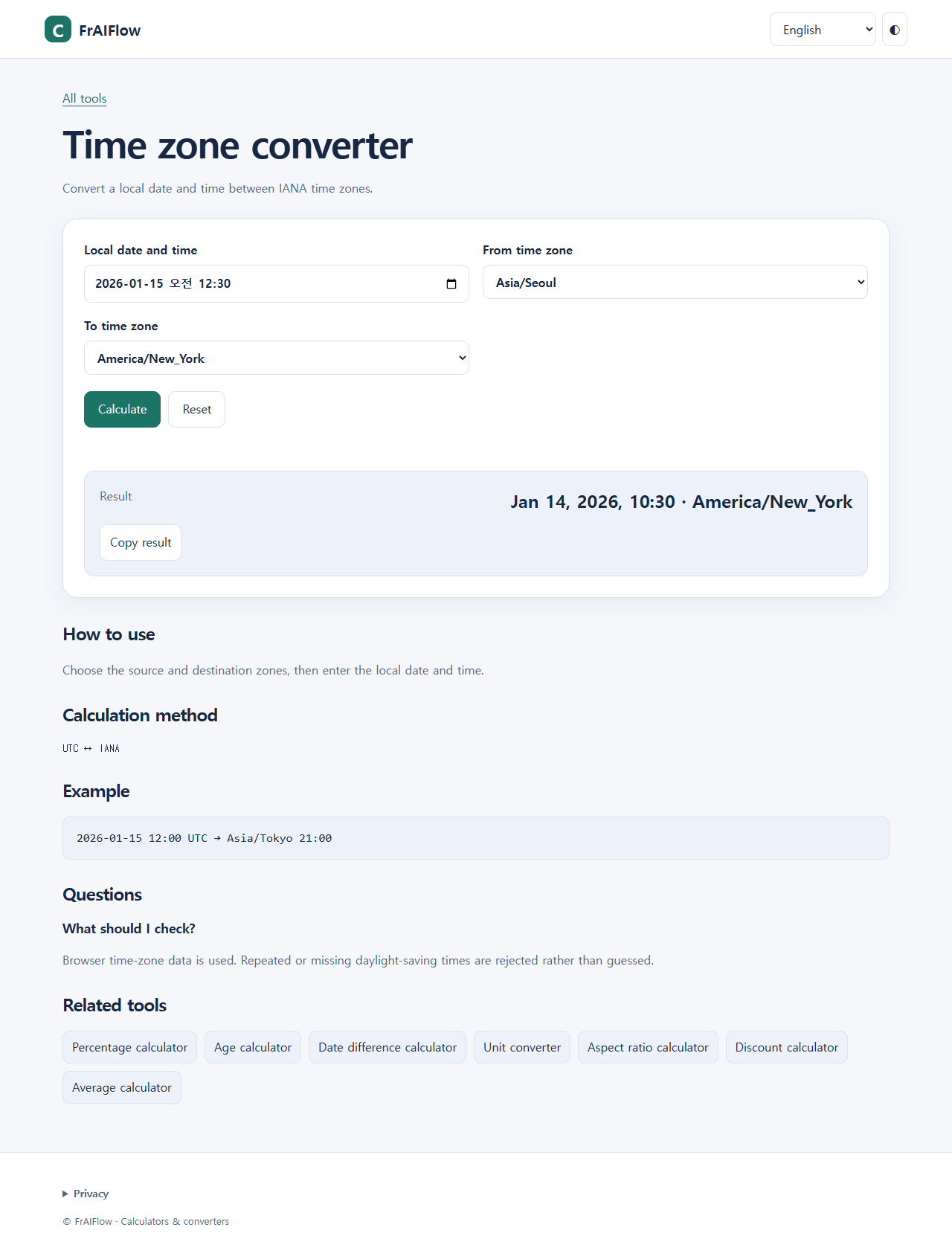
Open Time zone converter. Set Local date and time to the source location’s date and clock time, not the destination’s. Select From time zone and To time zone from the available named zones, then select Calculate. Read Result and the zone name beside it. This is a date-and-time conversion, not a fixed-offset mental shortcut. The dropdown contains a supported selection of IANA zones; it is not an arbitrary free-text zone input.
Cross-midnight example
Enter 2026-01-15 00:30, choose Asia/Seoul as From time zone and America/New_York as To time zone, then Calculate. In the tested English UI, Result was Jan 14, 2026, 10:30 · America/New_York. The destination date is January 14, not January 15. Independent Python ZoneInfo conversion confirmed that instant. Copy the whole result and check the calendar date in the application where you will schedule it.
| Input | Output |
|---|---|
2026-01-15 00:30 · Asia/Seoul | 2026-01-14 10:30 · America/New_York |
2026-01-15 12:00 · America/New_York | 2026-01-15 17:00 · UTC |
2026-07-15 12:00 · America/New_York | 2026-07-15 16:00 · UTC |
Why the season matters
We also entered 2026-01-15 12:00 in America/New_York and converted to UTC: the result was Jan 15, 2026, 17:00 · UTC. Repeating with 2026-07-15 12:00 produced Jul 15, 2026, 16:00 · UTC. These observed examples use different seasonal offsets. Do not reuse January’s offset for a July appointment or assume every country changes clocks on the same day. Browser time-zone data is used; future rules can change.
When the tool refuses a local time
In New York, 2026-03-08 02:30 is a missing local time during the spring transition; 2026-11-01 01:30 occurs twice during the autumn transition. The tested tool rejected both with: This local time does not exist or occurs twice. Choose an unambiguous time. It did not guess which instant you intended. Confirm an unambiguous source time with the organizer, or use a confirmed UTC instant in the available form. Do not silently choose the earlier occurrence for someone else. If an ordinary result looks wrong, first recheck source date, source zone and destination zone, then recalculate.
Frequently asked questions
Should I change a previous-day result back to today?
No. First verify the source fields. Different calendar dates can correctly describe the same instant.
Why did winter and summer results differ by one hour?
The chosen zone used different seasonal offsets on those tested dates.
Can this tool resolve a repeated time for me?
No. It rejects ambiguous or nonexistent local times instead of selecting an occurrence.
Limits
This is not a recurring-meeting scheduler. Only available zones and supported dates can be used. Historical or future results depend on the browser’s time-zone data.