
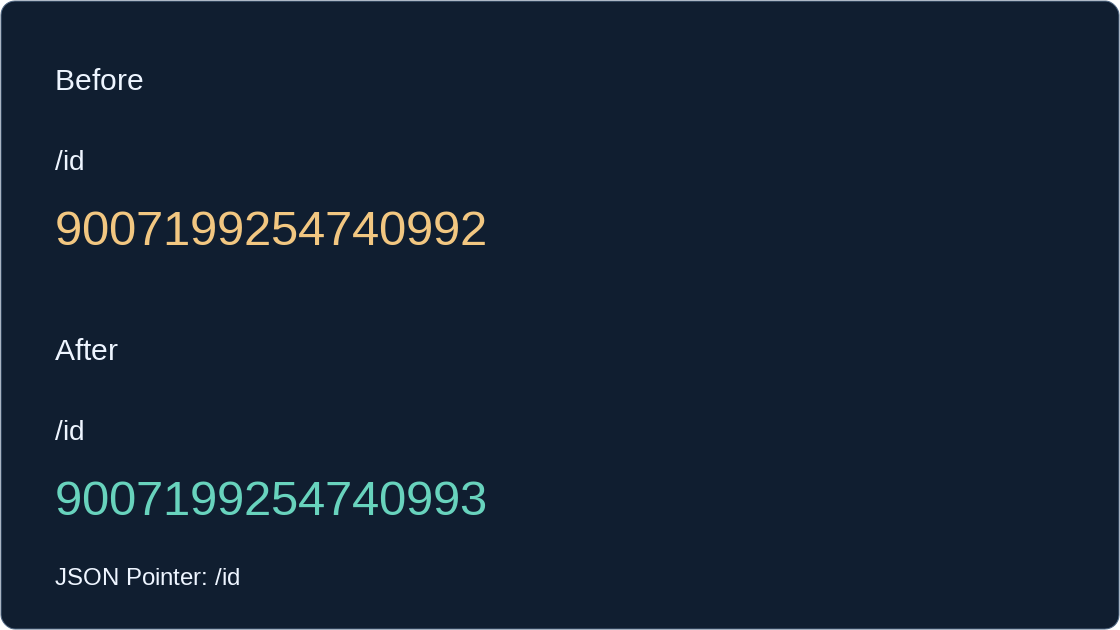
Our two test documents differ at the end of a long identifier: 9007199254740992 becomes 9007199254740993. They also change status from draft to ready and rearrange the object keys. The inspector reports the two value changes without treating key order as a change. Most importantly, it does not first convert the identifier into a JavaScript Number.
| JSON Pointer | Before | After |
|---|---|---|
| /id | 9007199254740992 | 9007199254740993 |
| /status | "draft" | "ready" |
Keep exact tokens until the comparison is finished
A formatter or comparison tool that parses every number into floating point can lose the difference you wanted to inspect. This workflow reads JSON syntax and retains each number’s original token. The downloaded report shows the full before and after tokens at /id, alongside the status change. It can therefore support a review of a formatting or data-transfer step without silently repairing the identifier.
Whitespace outside strings and object-key order are ignored. Array positions remain significant. Strings are compared after JSON escape decoding, so a and its equivalent Unicode escape do not become different string values just because their source spelling differs.
We also tried the identifier-only pair in JSONDiff on 27 November 2026. In that browser session it reported the documents as semantically identical and displayed the lower number on both sides. This is one observed case, not a complete assessment of that product. Our exact-token comparison retained the differing last digit.
Some differences remain deliberately visible
The numeric tokens 1 and 1.0 are shown as different. This is an exact representation check, not a claim that they are different mathematical quantities. It also distinguishes a number, a quoted string and null. Use schema rules or application-specific comparisons separately when those distinctions should be interpreted differently.
Duplicate keys inside an object are refused. Choosing the first or last occurrence would hide an ambiguity before comparison. Resolve that input deliberately, then rerun. Result paths use JSON Pointer escaping: a slash in a key appears as ~1 and a tilde appears as ~0. Read the path as a location, not as an unescaped copy of the key name.
Use a small report you are allowed to keep
Each input is limited to 100,000 characters, with additional depth and node limits. The on-screen table shows up to 200 changed paths; the downloaded report contains the complete detected set. File hashes identify the two exact text inputs. They are not proof that the values were correct in the source system.
Comparison runs locally, but the report itself contains before and after values. Treat a downloaded report with the same care as the data it describes. For a public bug report, start with the synthetic example or reduce the document to a non-sensitive reproduction. Do not publish an entire production payload merely because the comparison tool did not upload it. The example files and expected result let another reader repeat this specific check.
Exact JSON scalar comparison with decoded strings and preserved number lexemes. Not schema validation or mathematical equivalence of differently written numbers.