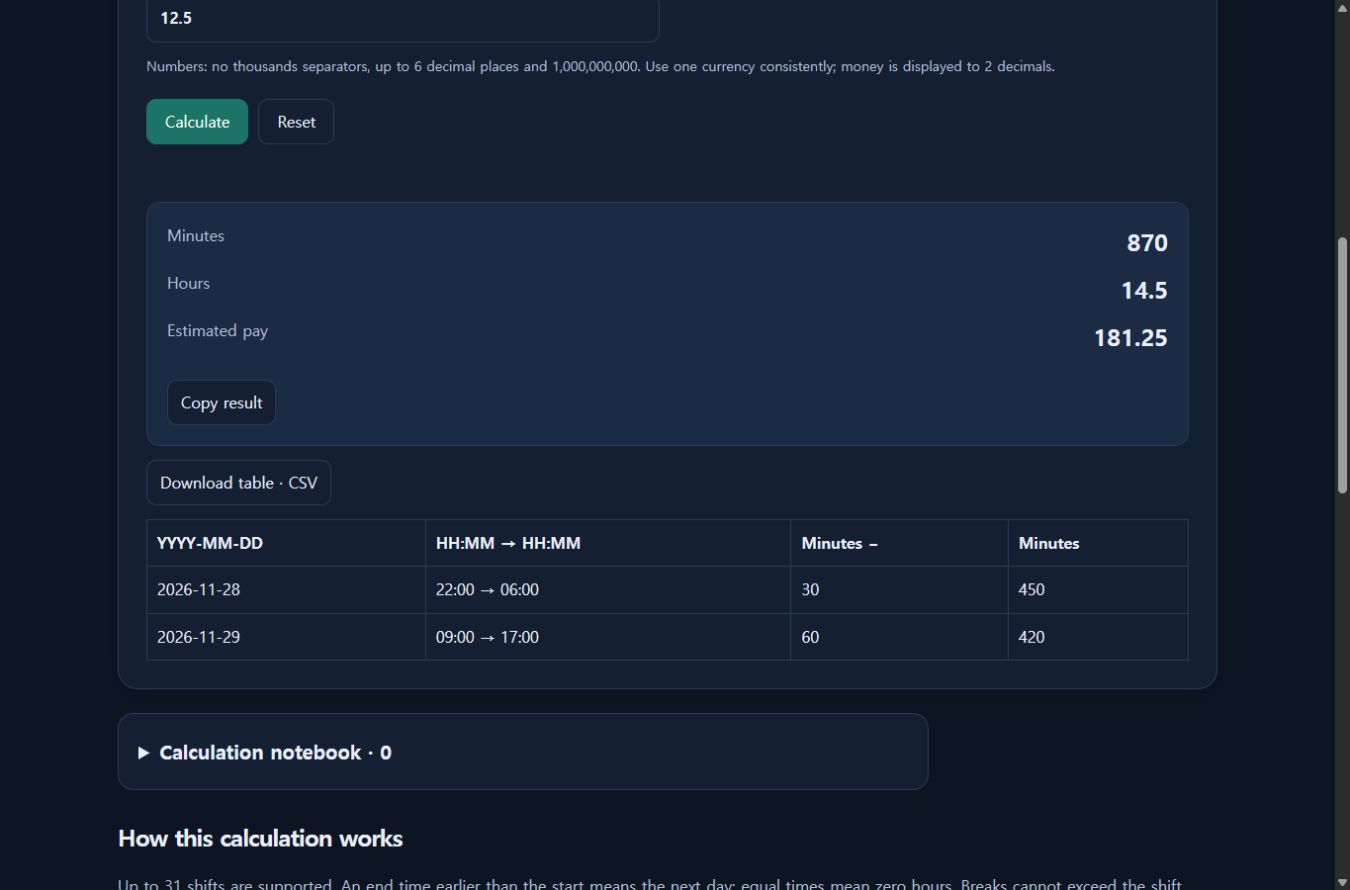
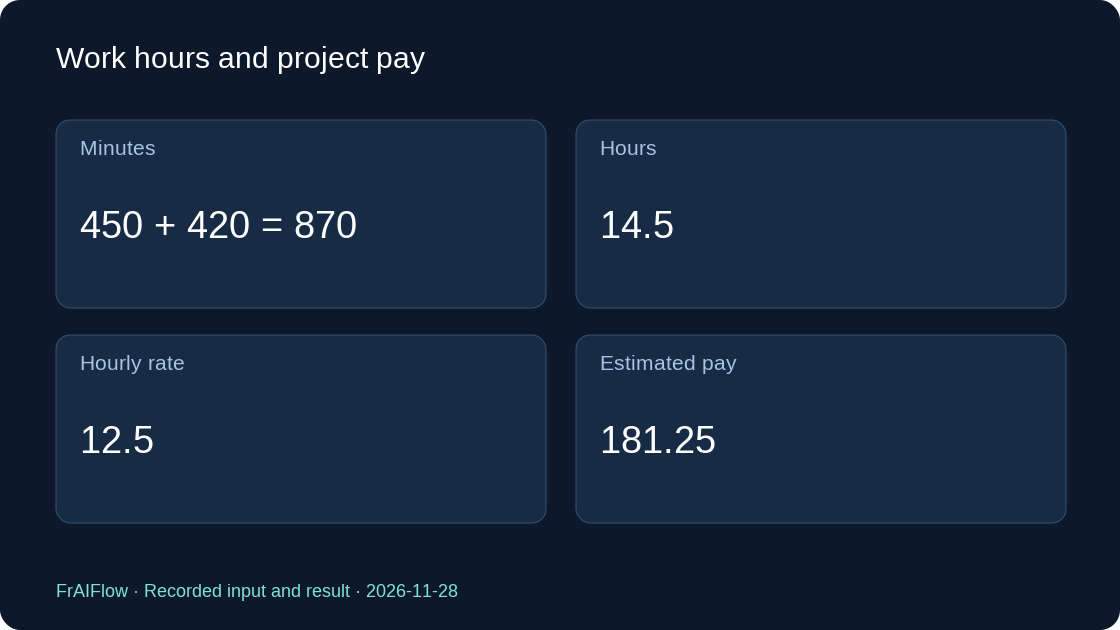
A shift from 22:00 to 06:00 lasts eight clock hours, not a negative sixteen. In our fixture, a 30-minute break reduced it to 450 minutes. A second shift from 09:00 to 17:00 with a 60-minute break added 420 minutes. Together they produced 870 minutes, or 14.5 hours. At an entered hourly rate of 12.5, the calculated amount was 181.25.
Write one complete shift on each line
The input format is YYYY-MM-DD, start, end, break minutes. Use 24-hour HH: MM times and commas between the four fields. For this test, the first line is 2026-11-28,22:00,06:00,30. The date identifies the shift’s start. The second line starts on 2026-11-29 and uses 09:00,17:00,60.
An end time earlier than the start means the following day. Equal start and end times mean zero duration, not a 24-hour shift. This compact format covers shifts shorter than a full day; it does not represent multi-day assignments. Up to 31 rows are accepted. A malformed date or a break longer than its shift is refused.
Add minutes before converting to money
The entered breaks are treated as unpaid. The first row is 480 − 30 = 450 minutes. The second is 480 − 60 = 420. Adding them first gives 870 ÷ 60 = 14.5 hours. Multiplying that total by 12.5 gives 181.25. This avoids treating 30 minutes as 0.30 hours;30 minutes is half an hour.
The CSV export contains each date, start, end, break, paid minutes and overnight flag. Open it and check the row totals before using the aggregate. It contains the entered dates and times, so use an appropriate location when saving your own work records. The generated fixture available here contains no employee details.
Decide whether clock time is the right measure
This tool subtracts the times shown on a clock. It does not know a location, time zone, daylight-saving transition, employment agreement or overtime rate. A shift across a clock change may have a different elapsed duration. If elapsed time or payroll compliance matters, establish those rules separately before using a total.
Press Calculate to keep a condition in the current tab, then change the rate or correct a row and calculate again. A saved record restores the shift text and rate and reruns the calculation. During verification we also submitted invalid inputs and tested Reset; the corrected reset control restores the example and clears the error. Review the exported rows whenever you edit the source.
Recorded input and result
| How this calculation works | Reproducible example |
|---|---|
| Shifts: date,start,end,break minutes | 2026-11-28,22:00,06:00,30 |
| Minutes | 450 + 420 = 870 |
| Hours | 14.5 |
| Hourly rate | 12.5 |
| Estimated pay | 181.25 |
Verification and scope
The two-row fixture, overnight handling, invalid dates and excessive breaks were verified. CSV download and saved-record restoration were checked in the browser. Calculated amounts use a flat entered rate without payroll or daylight-saving rules.
Actual calculator screen · English interface