
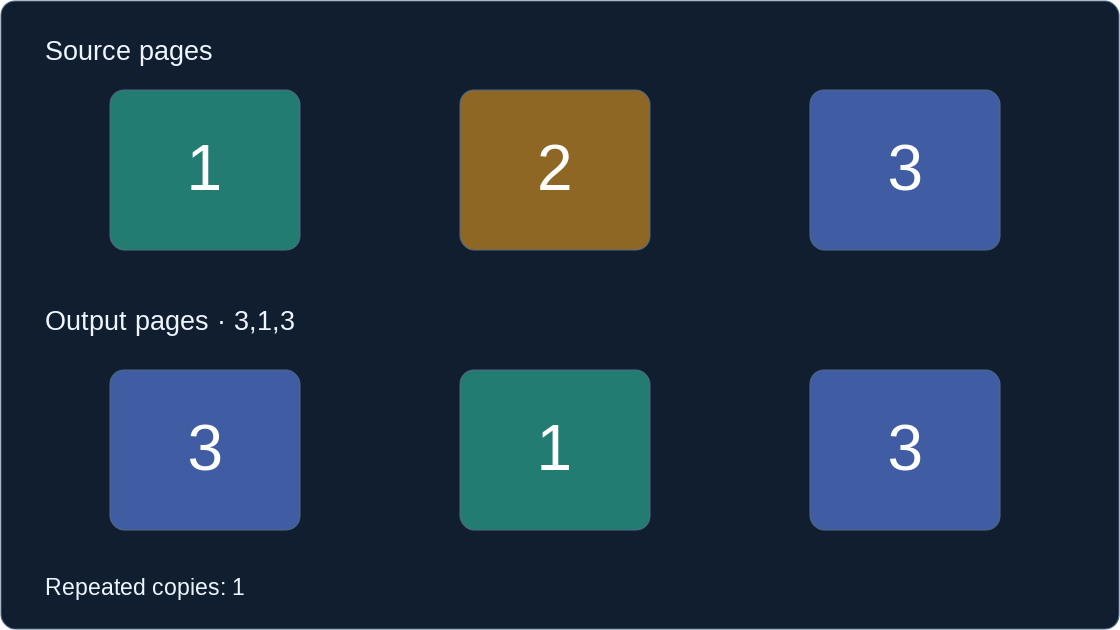
A three-page output does not prove that the correct three pages were saved. We built a PDF from the sequence 3,1,3: page 3 first, page 1 second and page 3 again. The original also had three pages, so a page-count check alone would have missed a wrong order or an accidental removal of the repeated copy.
| Output page | Source page | pt |
|---|---|---|
| 1 | 3 | 360 × 490 |
| 2 | 1 | 320 × 430 |
| 3 | 3 | 360 × 490 |
Use page numbers as an explicit copy plan
In the ordered-page workflow, enter numbers separated by commas. An ascending range such as 1-3 expands to three entries. Repetitions remain intentional copies; 3,1,3 is not converted into a set of unique pages. The preview report distinguishes repeated copies from source pages that were not selected.
The published fixture gives each source page different content and dimensions. Page 1 is 320 × 430 points; page 3 is 360 × 490 points. The requested output therefore has dimensions 360 × 490, 320 × 430 and 360 × 490. Source page 2 is omitted. There is one extra repeated copy, not three newly created source pages.
Reopen the output instead of trusting the plan
After saving, the tool loads the generated PDF again. It checks the number of pages, each mapped page’s dimensions and rotation, and the encoded content streams against the selected source page. The report keeps the output-to-source mapping and file hashes so the saved result can be identified later.
Content-stream equality is a useful structural check, but it is not a complete visual comparison. Fonts and other resources also affect rendering. Open the exported PDF in the viewer that will actually be used, inspect each repeated page, and test any links or other features that matter to your document. The tool does not certify accessibility or text extraction.
Keep special documents out of a simple copy workflow
Use an ordinary PDF up to 32 MiB on a wide screen or 16 MiB on a narrow screen, with at most 500 source pages and 200 output pages. Forms, signature structures, attachments and portfolios remain unsupported. Processing runs in a cancellable worker.Input text · pdf-generated-raster-12mib.pdf
Download · pdf-pdf.pdf
Download · pdf-pdf.json
If a page is missing, correct the sequence and regenerate from the source, rather than using an already edited output as the next source. If the page count is right but the document looks wrong, compare the page map and content before changing compression or print settings. The downloadable fixture and expected map let you practise this check without using a private document.
Page count, page geometry and encoded content-stream bytes are checked after saving. This does not certify visual identity, text extraction, accessibility or signature validity.