
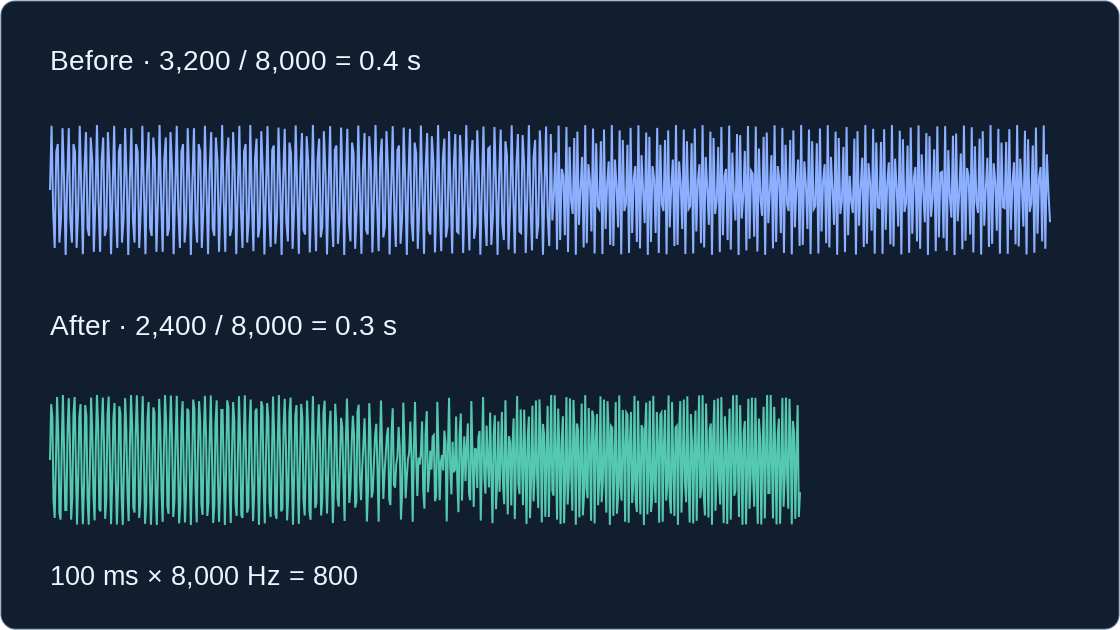
Two 0.2-second clips do not produce a 0.4-second file when they overlap. Our published mono WAV inputs each contain 1,600 frames at 8,000 Hz. A 100 ms crossfade uses 800 frames from each join and produces 2,400 output frames: 0.3 seconds. We downloaded the WAV, reopened it and compared it with the expected result calculated from the decoded input files.
| Check | Result |
|---|---|
| Sample rate | 8,000 Hz |
| Transition length (milliseconds) | 100 ms |
| Frames per transition | 800 |
| Output frames | 2400 |
| Output duration | 0.3 s |
Decide between an overlap and a pause
The join workflow offers no transition, inserted silence or a linear crossfade. With the same two files, a 100 ms silence gap gives 4,000 frames, or 0.5 seconds. A crossfade subtracts the overlap; a gap adds it. The report states the frame index of each join and the number of transition frames, which makes the duration change explainable.
Transition length is converted from milliseconds to the nearest whole frame at the input sample rate. A request therefore has a specific sample count rather than unlimited time precision. For more than two clips, a middle clip must be long enough to hold both crossfades without an unintended three-way overlap. If it is too short, shorten the transition instead of accepting a hidden fallback.
Compatible inputs are a real condition
This workflow accepts two to four WAV files, no more than 16 MiB combined and four million decoded channel samples. Sample rates and channel counts must match. It refuses a mismatch rather than relabelling a file or pretending that resampling is just a change to a header. Prepare compatible copies first when the source formats differ.
The result is PCM 16-bit WAV. Inputs are decoded before mixing, and the saved result is reopened to check frames, sample rate and channels. The downloadable expected file was calculated from the quantized WAV inputs, not from the original floating-point tone formula. Otherwise even a one-step sample difference could make a supposedly exact comparison misleading.
Listen to the join before replacing the originals
A linear crossfade blends samples; it does not normalize loudness or remove noise. Different phase relationships can reduce sound in an overlap, and a sudden change in background noise can still be noticeable. The precise frame count is evidence about timing, not proof that an edit is inaudible.
Use the player to examine the join at your normal listening level, then open the downloaded file in the application where it will be used. Keep the originals until that check is complete. If the transition sounds wrong, change the overlap or edit the clip boundaries, rather than repeatedly encoding an already edited result. Our short generated tones make timing reproducible; they are not a listening test of a person’s recording or a promise that every music transition will sound natural.
Frame counts, sample rate and channels are checked after WAV encoding. Linear crossfade is not loudness normalization, denoising or a guarantee of click-free or inaudible edits.