Why dollar signs change your JavaScript replacement text
A find-and-replace tool changes the replacement text itself. Even with a plain string search, JavaScript interprets dollar sequences in the replacement argument. If the user intends literal text, return that text from a function.
Identify replacement templates before changing the input
Imagine replacing a placeholder with a price explanation that contains $&. The user expects those two characters, yet the old placeholder reappears. This is not necessarily an encoding problem. The replacement argument has its own tiny template language, even when the search is a plain string rather than a regular expression.
Start with a copy of the text and one match. If a dollar sequence changes, switch the replacement argument to a callback and compare the results. Keep the search the same for this comparison. Changing both inputs at once makes it harder to tell which rule caused the surprise.
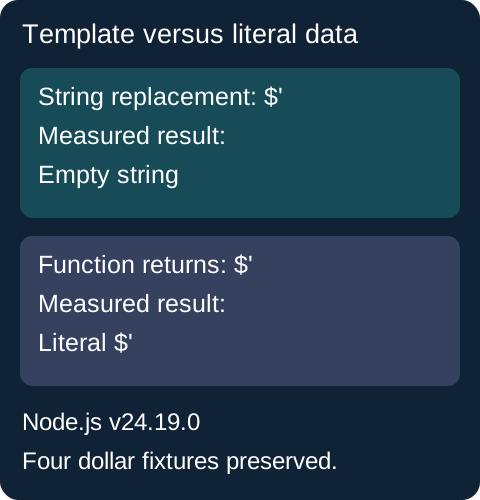
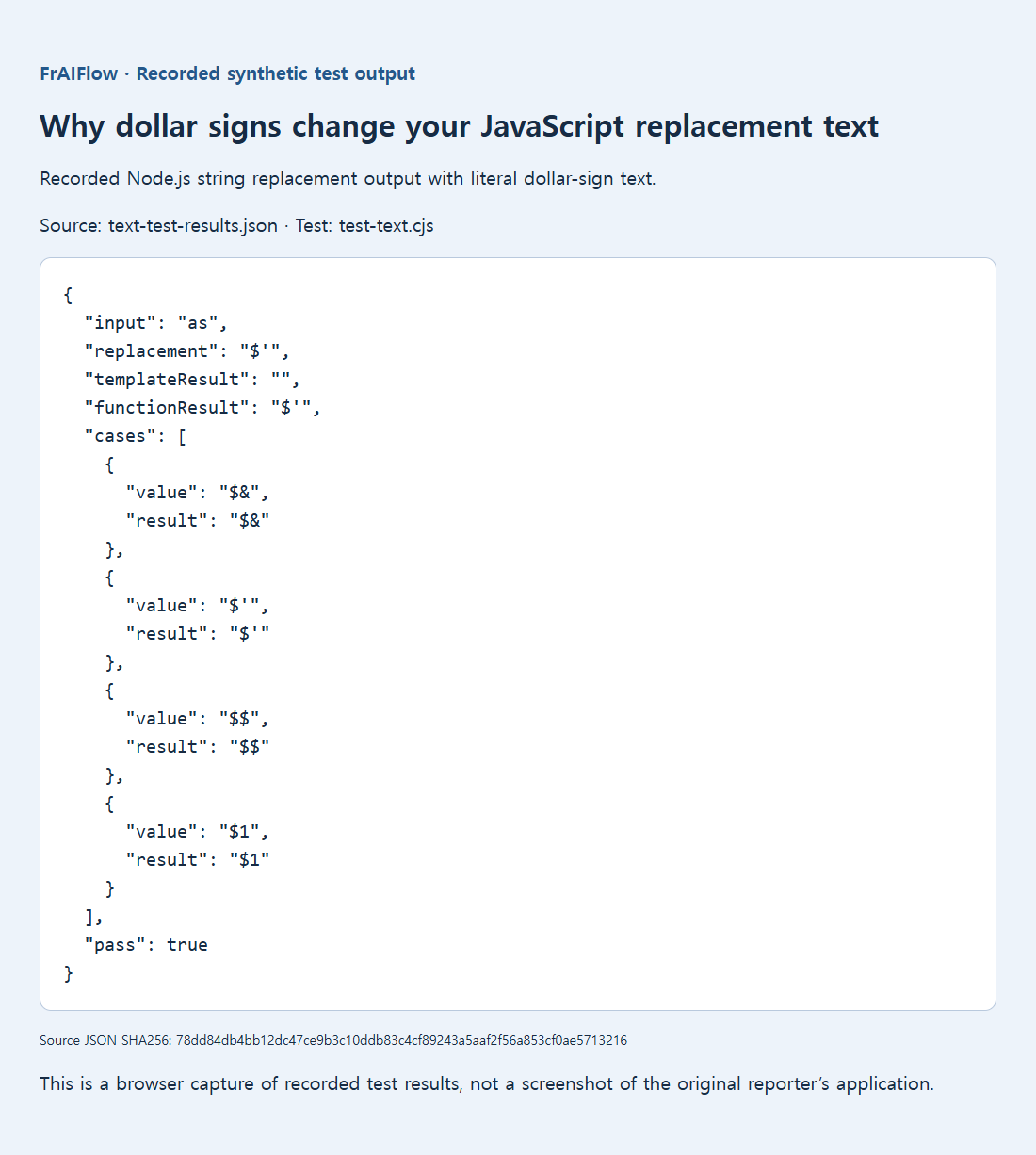
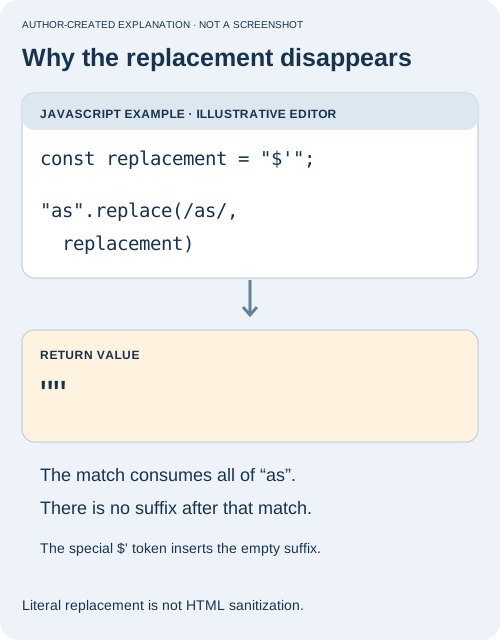
A public 2012 report replaced an entire string with $' and obtained an empty result. That token means the suffix after the match. Because the match consumed everything, there was no suffix.
const input = "as";
const replacement = "$'";
input.replace("as", replacement);       // ""
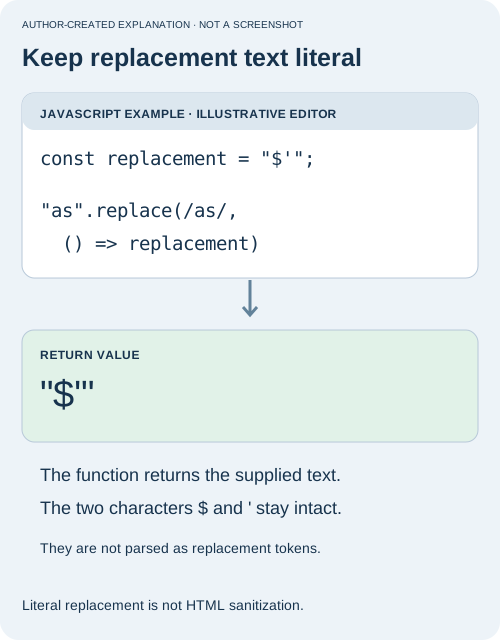
input.replace("as", () => replacement); // "$'"
The retained Node.js v24.19.0 test reproduced both outcomes. Other replacement tokens include $$ for a dollar sign, $& for the match, and capture references such as $1 when the pattern has the relevant group. There are also prefix and named-capture forms. Not every dollar sign is special in isolation.
Use a callback when the user means literal text
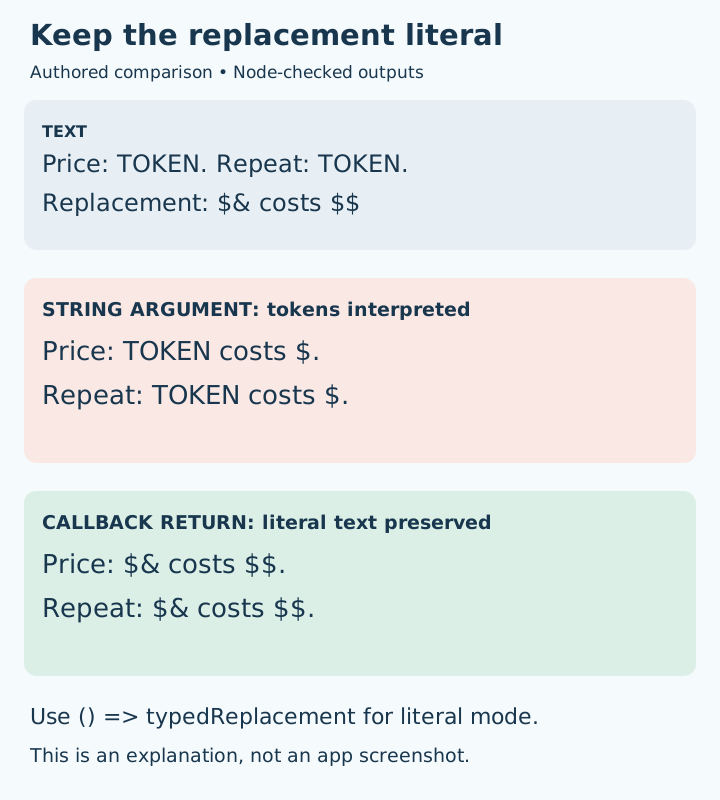
const draft = "Price: TOKEN. Repeat: TOKEN.";
const typedReplacement = "$& costs $$";

console.log(draft.replaceAll("TOKEN", typedReplacement));
// Price: TOKEN costs $. Repeat: TOKEN costs $.

console.log(draft.replaceAll("TOKEN", () => typedReplacement));
// Price: $& costs $$. Repeat: $& costs $$.
In the first call, the replacement string is interpreted. In the second, the function returns the user's literal value for each match. That return value is inserted without another replacement-template pass. This is useful for tools that promise ordinary find-and-replace, where the user should not need to learn special dollar escaping just to paste text.
Do not solve this by automatically constructing a regular expression from the user's search. A search such as a.b should usually find a literal dot in literal mode, not any character. Keep a separate, clearly labeled advanced mode if you also offer regex captures and replacement templates. A template such as $1 is valuable in that mode and should not suddenly become literal without explanation.
function replaceLiteralOnce(text, search, value) {
  return text.replace(search, () => value);
}
function replaceLiteralAll(text, search, value) {
  if (search === "") throw new Error("Search must not be empty");
  return text.replaceAll(search, () => value);
}
These helpers expect application-provided strings. One replaces the first occurrence; the other replaces all matching occurrences. The empty-search guard in replaceLiteralAll prevents insertion between code units. replaceLiteralOnce has no such guard: an empty search inserts the value at the start. Decide explicitly whether your tool should allow that. If your product intentionally supports capture templates, preserve that mode and label it clearly rather than silently changing its meaning.
Preview the complete edit in its final context
Show both the original and changed text, especially for Replace all. Test a replacement containing a dollar sign alone, two dollar signs, a match token and an empty string. Verify what happens when there is no match. An empty replacement is a legitimate deletion; an empty search needs an explicit product decision because it can insert text between positions throughout the string.
Finally, check how the result is displayed. Returning literal text from a replacement callback does not make HTML safe. A preview should use a textarea or textContent for untrusted text, so a pasted tag is shown rather than executed. Save or submit only after the preview matches the user's intention, and retain an undo path for bulk edits.
The recorded fixtures preserved $&, $', $$ and $1 exactly when returned by the callback. Add similar examples to your own regression tests, including repeated matches and an empty replacement. Keep the source; preview bulk edits.