Count emoji without splitting a visible character in half
A user enters one emoji, but the counter says two. Another emoji is chopped into a broken symbol. The problem is often the unit being counted, not corrupted input: JavaScript length measures UTF-16 code units, while readers see grapheme clusters.
Decide what your counter promises
A caption field that says “one character remaining” should not reject a single thumbs-up merely because the implementation counts two UTF-16 units. But a storage service may genuinely impose a byte limit. Those are different requirements. Before changing the code, find out whether the limit is for a reader-facing label, a database column, or a third-party API. Changing the counter alone can leave the save operation failing later.
For visible text, a grapheme is usually the useful starting point: a letter plus its combining accent or an emoji plus its modifier stays together. It is not a measure of screen width. One family emoji and one narrow letter may each count as one grapheme while occupying very different space.
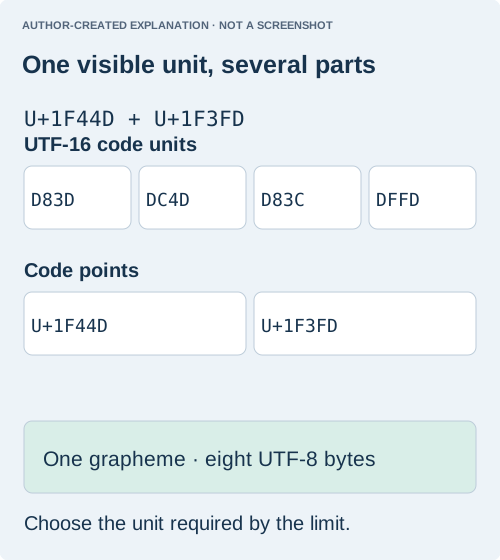
A public 2016 question asked why a thumbs-up had length 2. That character uses a surrogate pair. Spreading the string counts code points, which fixes that simple example but not skin tones, flags or joined families.
const text = "👍🏽";
const s = new Intl.Segmenter("en", { granularity: "grapheme" });
text.length;                      // 4 code units
[...text].length;                 // 2 code points
[...s.segment(text)].length;      // 1 grapheme
new TextEncoder().encode(text).length; // 8 UTF-8 bytes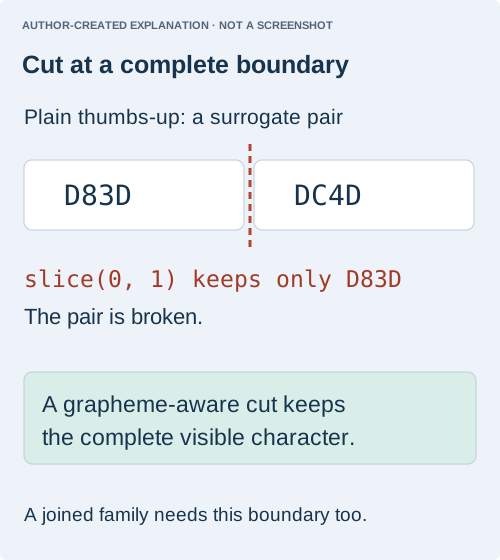
Cut only at a complete visible character
function truncate(text, maximum) {
  if (!Number.isInteger(maximum) || maximum < 0)
    throw new RangeError("Use a nonnegative integer");
  const s = new Intl.Segmenter(undefined, { granularity: "grapheme" });
  let result = "", count = 0;
  for (const item of s.segment(text)) {
    if (count++ >= maximum) break;
    result += item.segment;
  }
  return result;
}
This keeps the start of the string without building an array of all segments. Decide separately whether an ellipsis consumes part of the limit. A code-unit slice can leave half a surrogate pair; a code-point slice can still split a joined emoji.
Use the truncation function in this section with a short mixed example such as A👍🏽B. Keeping two graphemes should retain A👍🏽, not a bare thumb with the skin tone dropped. Then try a combining accent and a joined family. The point is to test where the cut happens. A function can count a complete string correctly while still cutting it incorrectly elsewhere in the interface.
const sample = "A👍🏽B";
console.log(truncate(sample, 0)); // ""
console.log(truncate(sample, 1)); // "A"
console.log(truncate(sample, 2)); // "A👍🏽"
console.log(truncate(sample, 3)); // "A👍🏽B"
These are expected examples for a runtime with grapheme segmentation support, not new browser test evidence. Check support before offering this behavior. If Intl.Segmenter is unavailable, do not quietly swap in a spread-and-slice fallback and claim the same guarantee. Preserve the user's input and explain the limitation, or use a separately reviewed segmentation implementation.
Keep editing and saving consistent
For a live text field, update the count without rewriting the value on every keystroke. Some input methods compose several keystrokes into one character; aggressive trimming during composition can interfere with typing. A safer interaction is to show the count, explain an excess, and let the user edit before saving. If you generate a shortened display label, keep the original full text available elsewhere.
Decide whether an added ellipsis belongs inside the limit. For a five-grapheme preview including an ellipsis, reserve space for that marker rather than keeping five and adding a sixth. Do not apply a visible-character limit to a byte-limited API and expect it to fit: the skin-tone example above is one grapheme but eight UTF-8 bytes.
Before release, compare the counter, shortened preview and saved value using the same sample set. If a backend applies a different counting policy, document that policy and validate against it. Grapheme-aware handling prevents broken cuts; it does not normalize spelling, guarantee font support or define another service's rules.
What the recorded examples establish
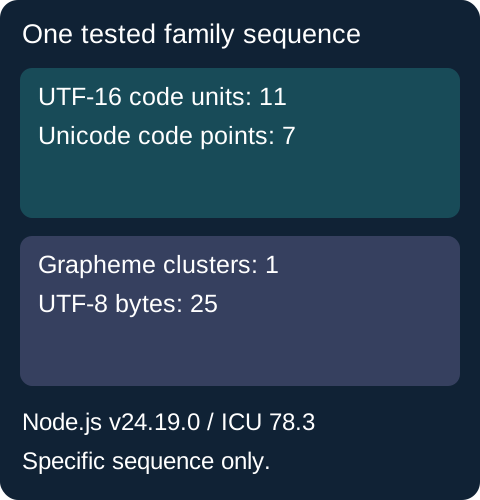
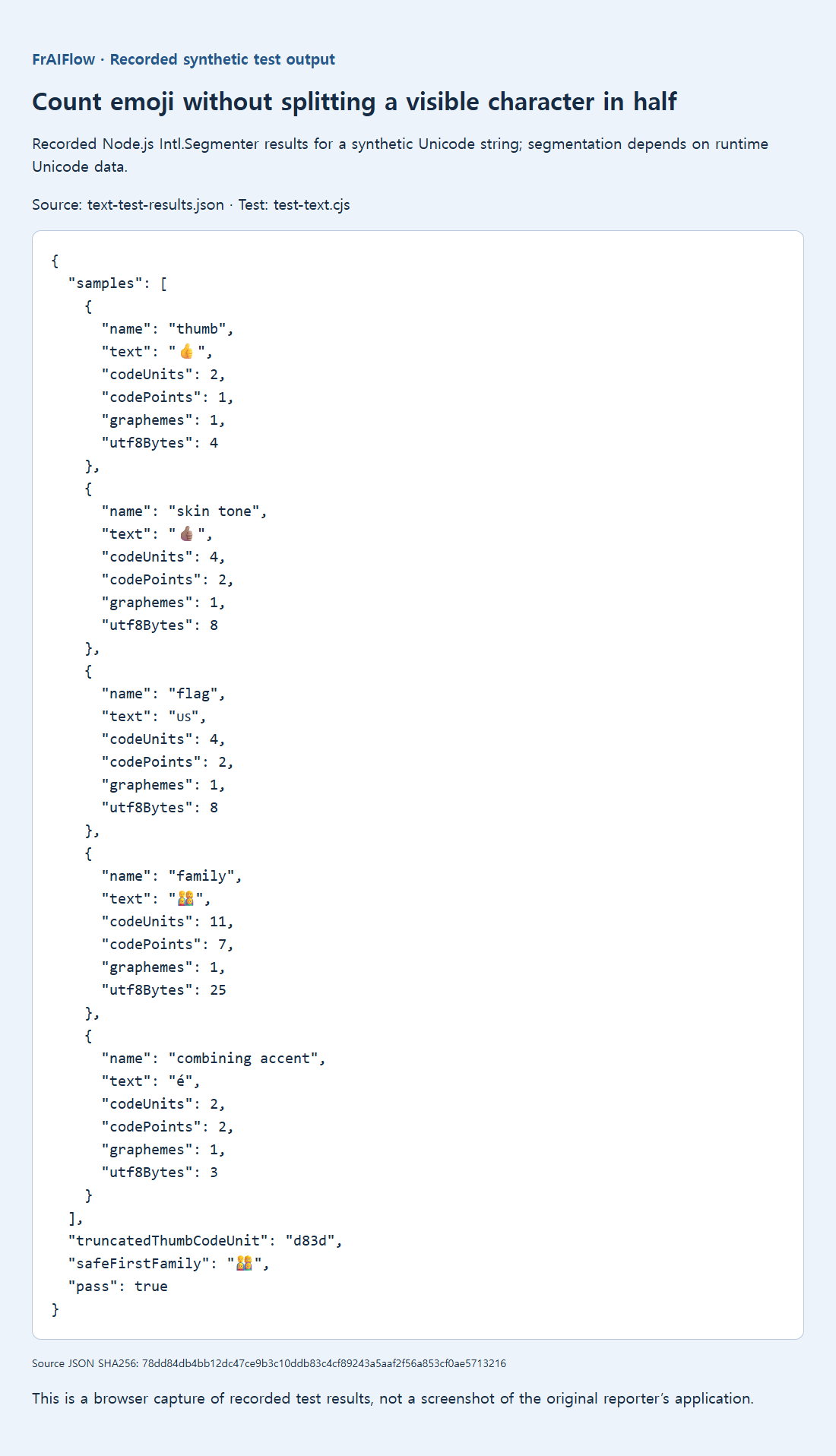
The retained Node v24.19.0 / ICU 78.3 fixtures covered a thumbs-up, a skin-tone sequence, a flag, a joined family and a combining accent. Each was one grapheme. The family used 11 code units and 7 code points; slicing the plain thumbs-up to one unit left D83D, an unmatched high surrogate.