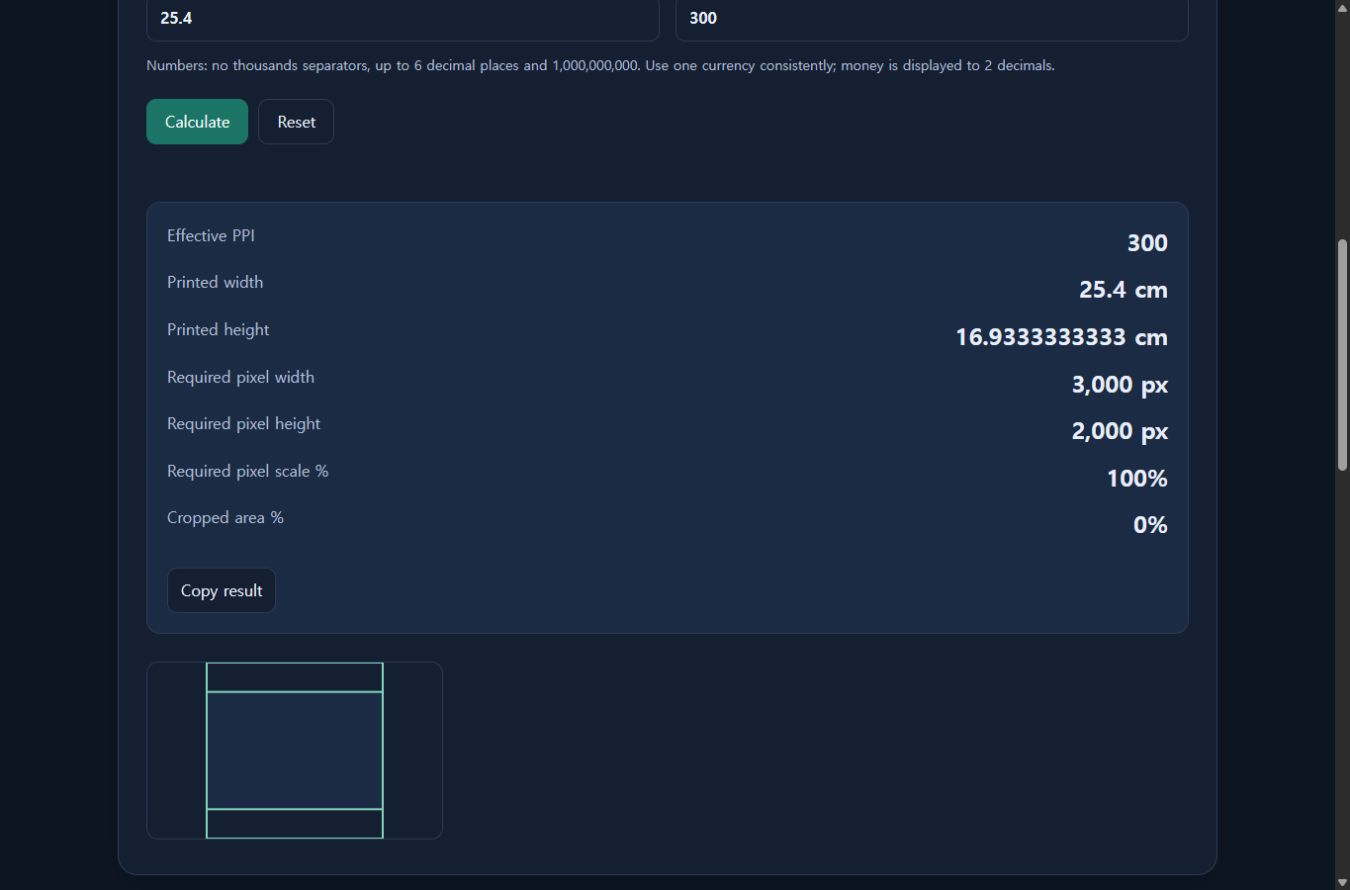
We entered a 3000 × 2000 pixel image and a 25.4 × 25.4 cm print box. Fitting the whole image produced a 25.4 × 16.9333 cm picture at 300 PPI. Filling the square produced 200 PPI and cropped about one third of the image area. The file had not lost pixels. The requested physical layout used them differently.
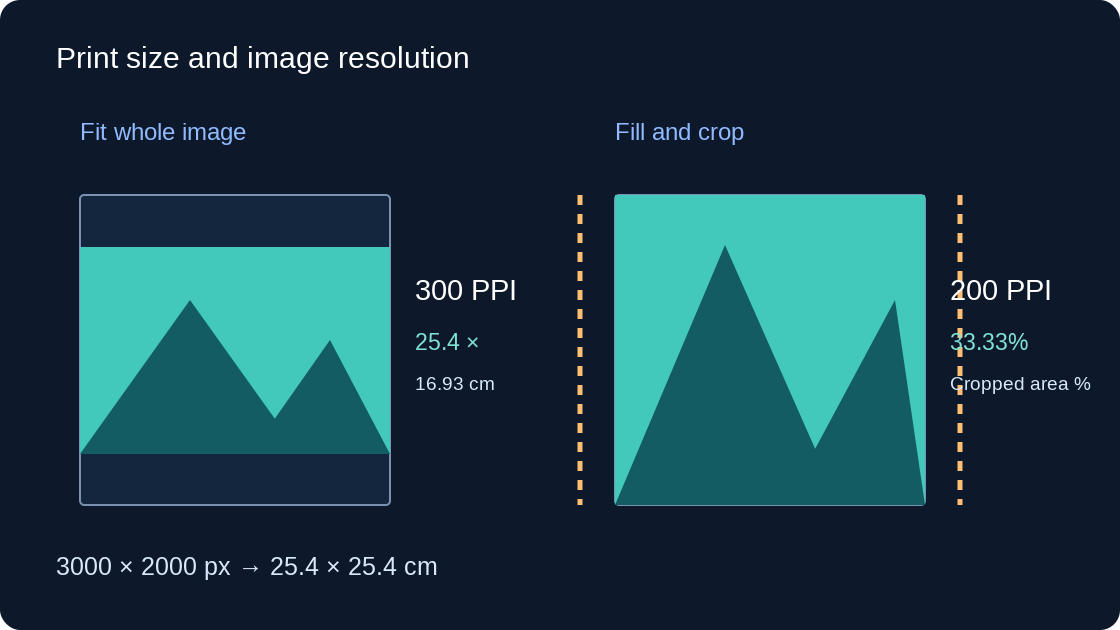
Fit preserves the picture; fill preserves the box
The source has a 3:2 aspect ratio and the print box is square. Fit scales both image dimensions by the same amount until the whole picture fits inside the box. It leaves unused space on two sides. Fill scales until the entire box is covered, then crops the part that extends outside it. A borderless square and an uncropped 3:2 photo cannot both occupy that same box.
The diagram shows those two layouts. It represents geometry from the verified inputs, not an assessment of a real photograph’s sharpness. Check where a face, caption or small mark will fall before choosing Fill. Cropping is a composition decision as well as a resolution decision.
Calculate density at the final printed size
25.4 cm is 10 inches. In Fit, the 3000 pixel width spans 10 inches, giving 300 pixels per inch. In Fill, the 2000 pixel height spans 10 inches, giving 200 PPI. The width then extends beyond the square. Its visible part is cropped; the lower density comes from the larger scaling needed to cover the box.
At a chosen 300 PPI, the final square output needs 3000 × 3000 pixels. That is a target output size, not evidence that the source contains that much detail in the cropped region. Enlarging can create more output pixels but cannot recover missing source information. Image PPI and printer DPI describe different things.
Read the source dimensions, then inspect an actual output
You can enter pixel dimensions or read them locally from a JPEG or PNG. Our browser check read a generated 32 × 16 image in both formats. A JPEG with a rotation tag was read as 16 × 32, confirming that orientation affects the displayed dimensions. These small files test dimension handling; they are not the 3000 × 2000 print example.
Try Fit and Fill with the same print box and compare the records. Use the image tools to prepare a copy when resizing or cropping is required, and inspect that saved copy. For a print that matters, check a sample from the intended printer and viewing distance. A calculated PPI value alone cannot certify legibility, colour or print quality.
Recorded input and result
| How this calculation works | Reproducible example |
|---|---|
| Image width, px × Image height, px | 3000 × 2000 |
| Print box width, cm × Print box height, cm | 25.4 × 25.4 cm |
| Fit whole image · Effective PPI | 300 PPI · 25.4 × 16.9333… cm |
| Fill and crop · Effective PPI | 200 PPI · 33.3333…% |
| Required pixel width × Required pixel height · 300 PPI | 3000 × 3000 |
Verification and scope
The numerical fit/fill fixture and local JPEG, PNG and EXIF-rotated dimension reads were verified. The printable calibration diagram is generated geometry. No physical printer, photo-quality threshold orautomatic detail restoration is claimed.
Actual calculator screen · English interface