
Keep duplicate query fields and literal plus signs
Decoding the visible text is only part of reading a query string. In our test, two id fields had to remain separate, a bare flag had to stay different from an explicitly empty value, and + depended on the selected decoding rule. Turning the result straight into an ordinary key-value object would lose some of those distinctions.
In this article
Start with a small query you can inspect
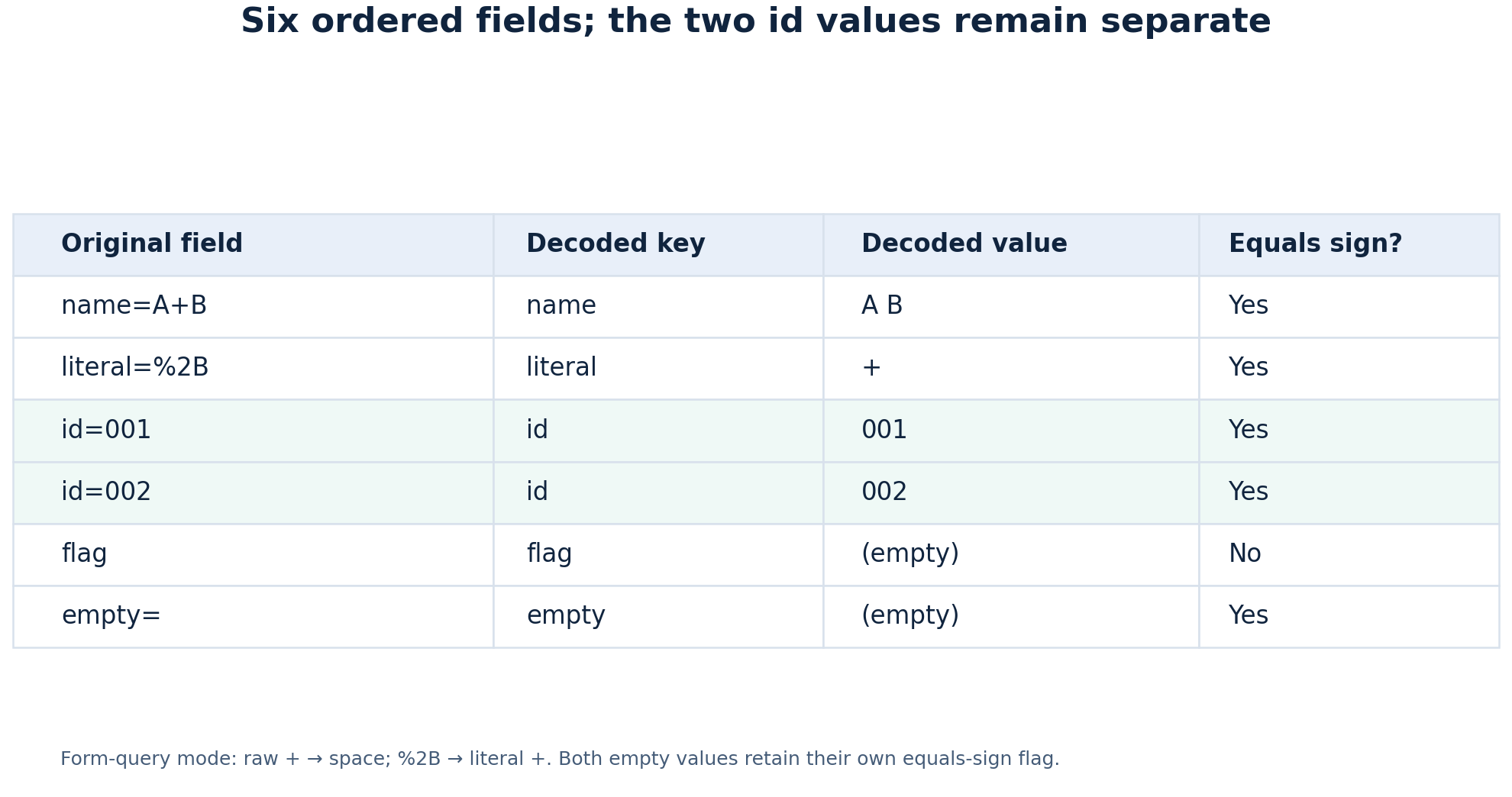
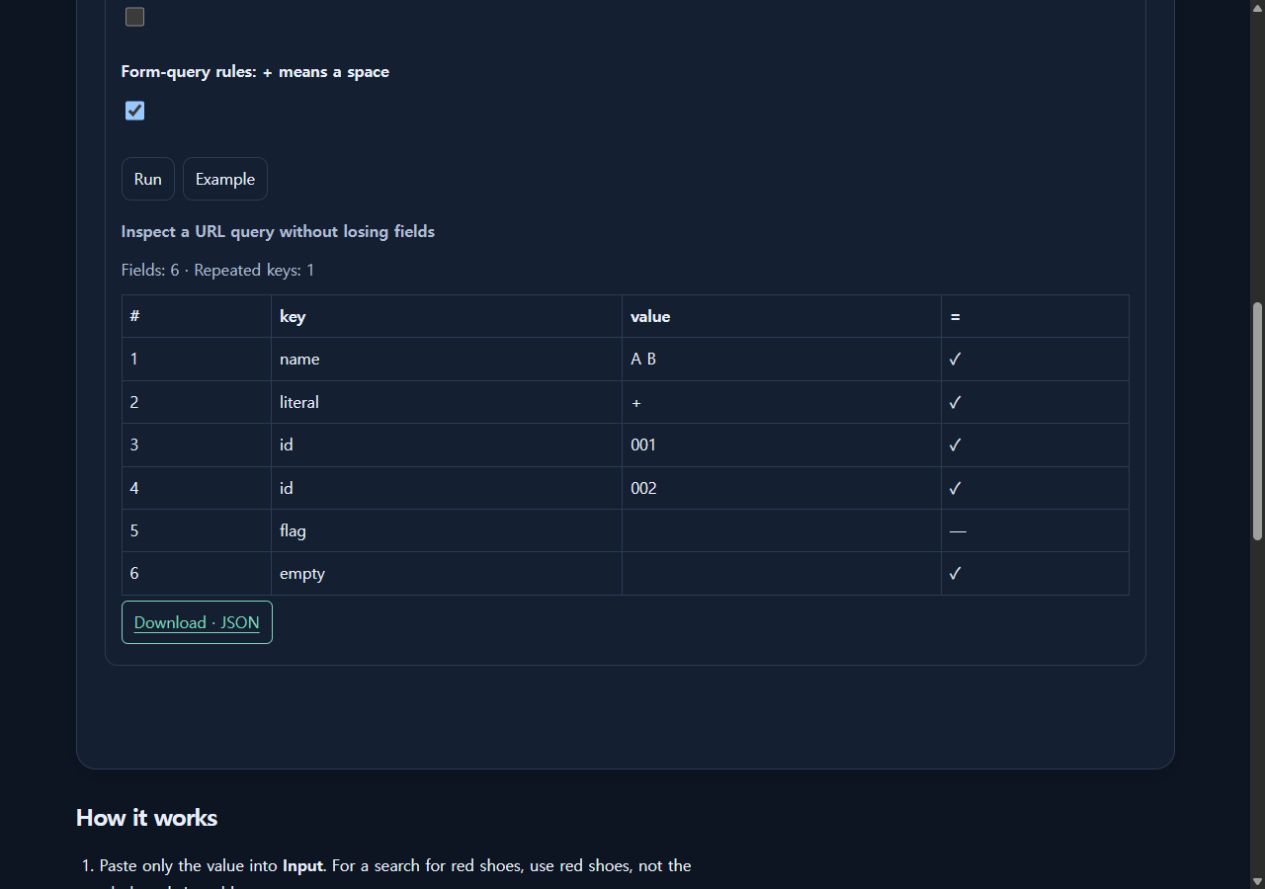
Use the inspector’s Example button to load name=A+B&literal=%2B&id=001&id=002&flag&empty=. Leave Form-query rules enabled. The result has six ordered fields and one repeated key. name becomes A B, literal becomes +, and the two id values remain the strings 001 and 002.
The last column records whether an equals sign was present. flag has no equals sign; empty= has one and an empty value. The inspector retains this distinction without deciding how your server should interpret it. A receiving application may treat them alike, but that is its own rule.
Choose what a plus sign means
With form-query rules, a raw + represents a space, while %2B represents a literal plus. Turn that option off and inspect the same input again: name now contains A+B, while literal still contains +. The input has not changed; you changed the decoding convention.
Use the convention expected by the receiving system. For a literal plus in form-style query data, encode the value as %2B. Avoid decoding the entire address and then treating every resulting & as a field separator: an encoded %26 can belong inside a value. Split the original query into fields before decoding their contents.
Preserve repeated keys when saving JSON
Download the inspection report. It represents fields as an ordered array with key, value and hasEquals properties. That structure can retain both id entries and their leading zeros. An object with a single id property cannot express both values without an additional convention.
Our saved report was read independently and checked against all six fields, including their order and equals-sign flags. Before using a report in an import or migration, decide whether repeated fields mean a list, an error or a last-value rule. The inspector exposes the data; it does not choose that application policy.
Reject broken encoding before exporting
We tested x=%E0%A4%A as well. Its final escape is incomplete, so inspection returned an encoding error and offered no JSON download. Invalid UTF-8 is also rejected. Replacing bad data with guessed characters would make a clean-looking report unreliable.
For a complete address, enable Full HTTP(S) URL input; otherwise paste only the query, optionally beginning with ?. A fragment after # is outside the query and is not a field. Keep the original address separately, correct malformed data at its source, and rerun the inspection. The tool checks query representation, not whether a destination is trustworthy or a server will accept the request.
Try the recorded query
Did this help you solve your problem?
We send your selected answers and page information, never your files or input contents. Feedback is kept for up to 30 days. Privacy