
Why a stereo recording becomes silent in mono
A stereo file can contain a clear signal in each channel while its mono export contains silence. We reproduced that result with a one-second test tone: the right channel was the exact negative of the left. The file was generated for this investigation, so the samples and the expected result were known before conversion.
In this article
Check the channels before raising the volume
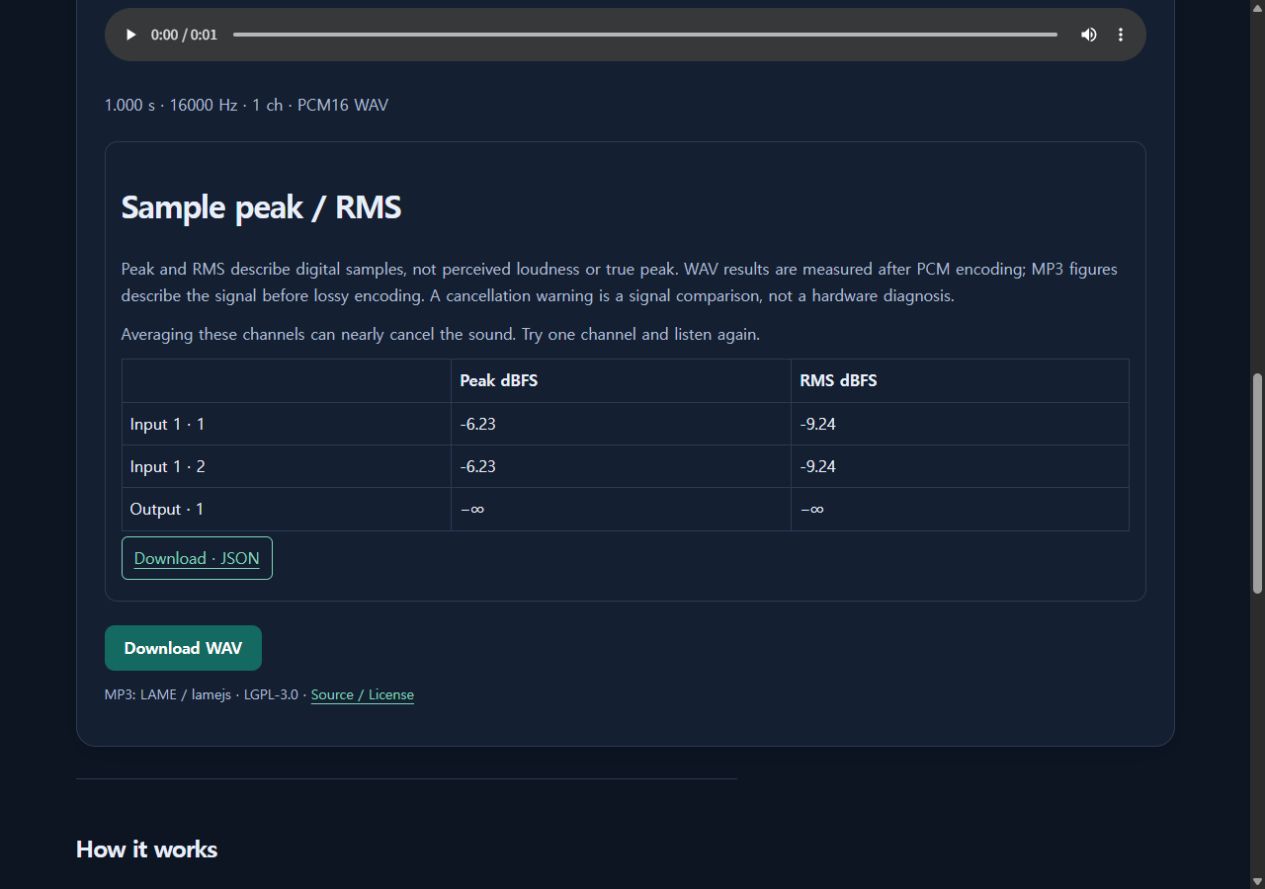
Open the sample in the channel converter with WAV output and the Average mono option. Both input channels measured −6.23 dBFS sample peak and −9.24 dBFS RMS. The saved mono file had 16,000 samples, all zero. We read those PCM samples separately after downloading; the diagnosis was not based only on a flat preview.
Our Average option calculates (left + right) / 2. With a right sample equal to −left, the sum is zero. Increasing the gain of that silent result cannot recover the two original signals. Return to the stereo source before trying another export.
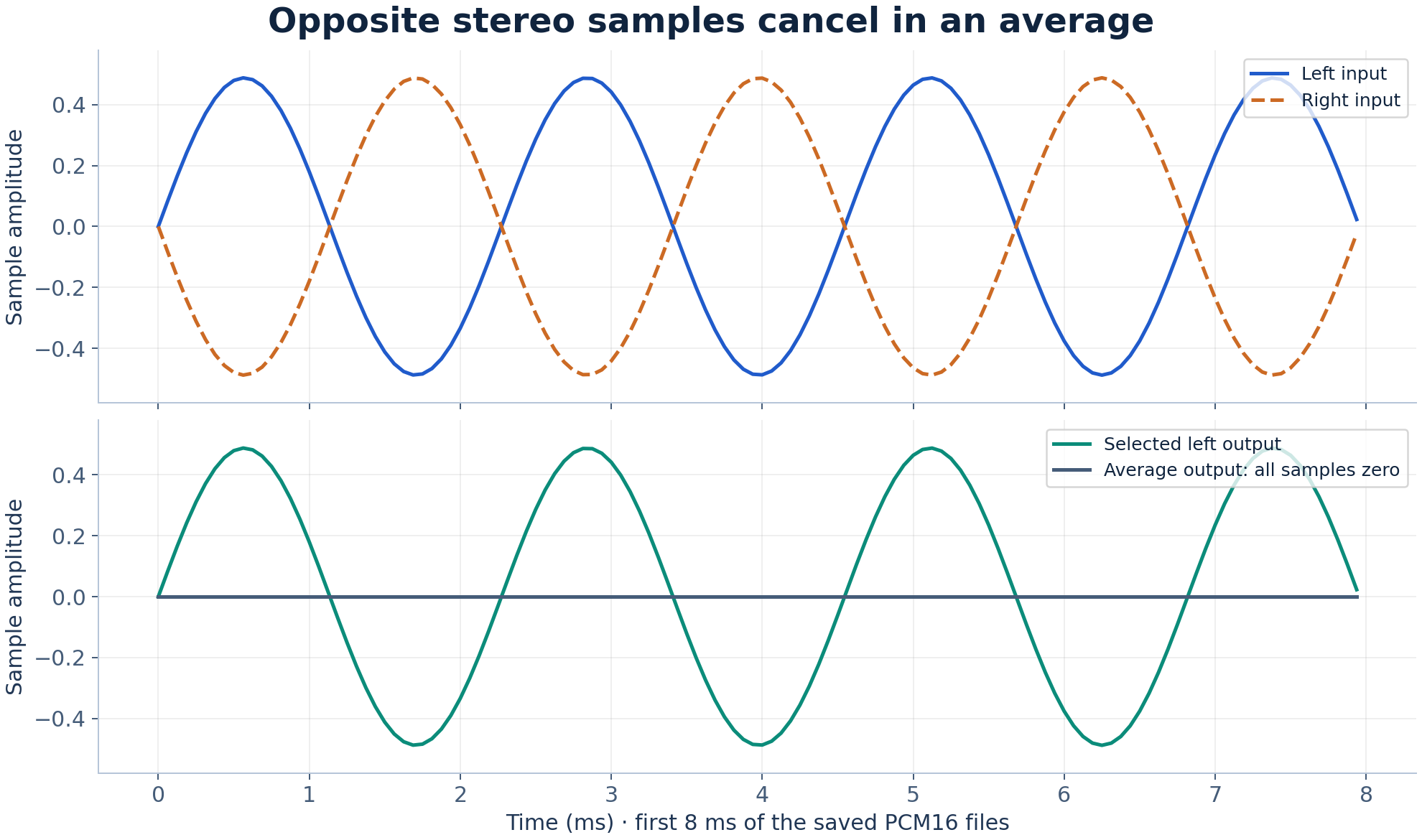
Compare Average with Left channel
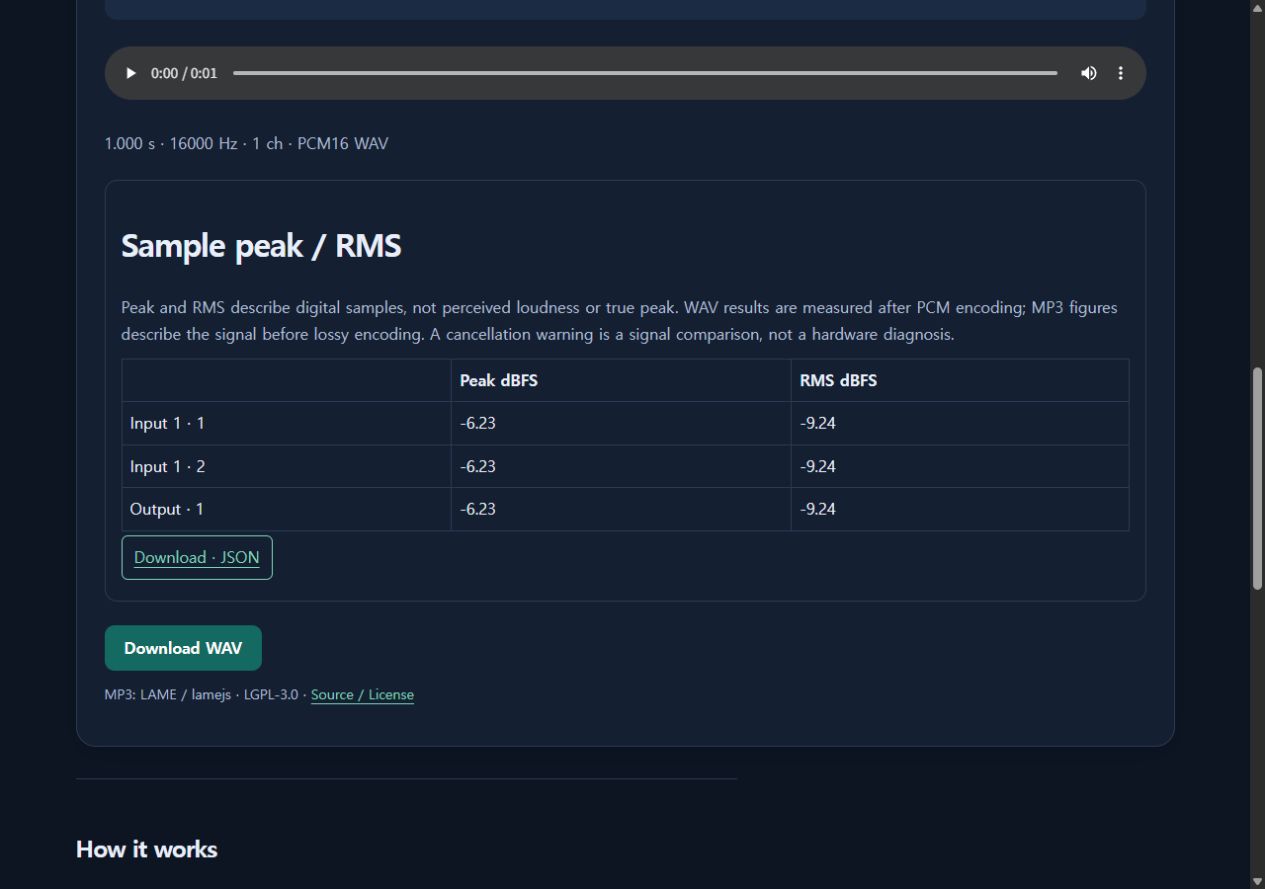
Keep the original file selected, change the mono method to Left channel, and run the conversion again. The new WAV kept a nonzero signal: −6.2266 dBFS sample peak and −9.2372 dBFS RMS. Its duration remained one second at 16 kHz. These figures matched an independent reading of the downloaded PCM16 file.
Listen to the source and both results below. The average is deliberately silent in this controlled example. The selected-channel copy is a different choice of source content, rather than a repair applied to the silent file.
Choose a channel for the recording you actually have
For speech, listen to the left and right channels separately before choosing. One might contain the microphone you need, while the other contains noise or a different speaker. Selecting Left discards the right channel; selecting Right discards the left. A louder result is not automatically the more complete recording.
If each channel contains useful material, retain the stereo original and use an editor with channel and polarity controls. The warning here identifies a possible loss during averaging. It cannot decide which voice or sound should remain.
Check the saved format as well as the sound
WAV figures describe the samples after PCM16 encoding. For MP3, the displayed figures describe the signal before lossy encoding. Our MP3 export decoded to 17,280 samples at 16 kHz, or 1.080 seconds, including encoder delay or padding. That length difference should not be interpreted as additional recorded sound.
The download pack includes the stereo input, silent average, left-channel WAV, MP3, measured report and checks. Reopen the file you intend to share, confirm its channel count, and listen through it. Once only the cancelled mono file remains, this converter has no information from which to reconstruct the missing channels.
Try the recorded test
Did this help you solve your problem?
We send your selected answers and page information, never your files or input contents. Feedback is kept for up to 30 days. Privacy