Why CMYK JPEG colors can change when shared online
A JPEG can hold print-oriented CMYK pixels, not just RGB. If colors change after sharing, inspect the actual document mode and embedded ICC profile before repainting the artwork. Keep a separate screen copy.
Make a screen copy without damaging the print master
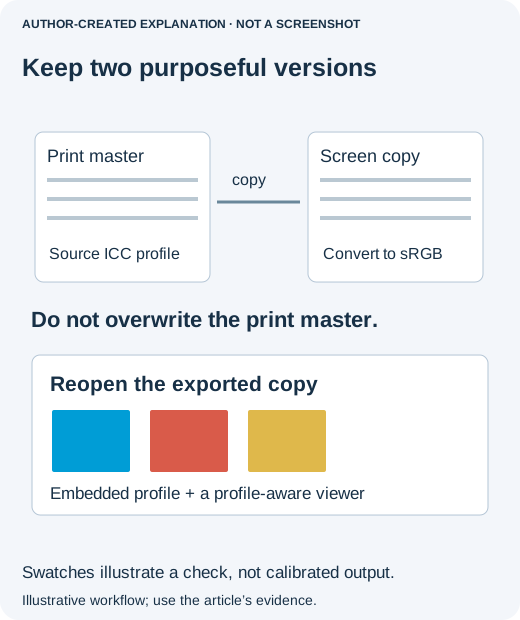
Do not brighten the artwork by eye to compensate for one browser. That may make the original print file wrong while leaving the underlying profile problem untouched. Keep the print version, then create a screen version with a clear filename such as poster-web.jpg.
- Open the original in your color-managed editor. Establish which document profile is attached and whether it is the intended one. If the designer supplied the file, ask for the source profile or a web export when this is unclear.
- In Photoshop, use Edit → Convert to Profile. For the screen copy, choose sRGB IEC61966-2.1 as the destination profile and review the preview. This transforms the color values; assigning a new profile is a different operation.
- Save the web copy separately. Embed the destination profile when your export offers that option. Do not overwrite the CMYK print master or change the computer's display profile to compensate for this file.
- Reopen the exported copy, then view the uploaded result. Use the same display for the comparison. If possible, download the file served by the destination and compare that file too. This helps distinguish a local export difference from a service that altered or stripped information.
Adobe's online-color guidance recommends an sRGB workflow. It does not promise identical appearance on every uncalibrated screen. A colleague's display brightness, display profile and viewing conditions can still make the result look different.
If the profile is missing, stop before choosing an arbitrary CMYK profile. Different print conditions can interpret the same CMYK numbers differently. A guessed assignment followed by a technically correct conversion can still start from the wrong colors. When the source cannot be recovered, explain that limitation rather than claiming a perfect repair.
Also separate color from compression: blocks around lettering and blurred edges suggest a different problem than an overall color shift. Repeatedly raising JPEG quality will not fix a wrong profile, just as a profile conversion will not recover detail already discarded by compression.
What the public cases establish
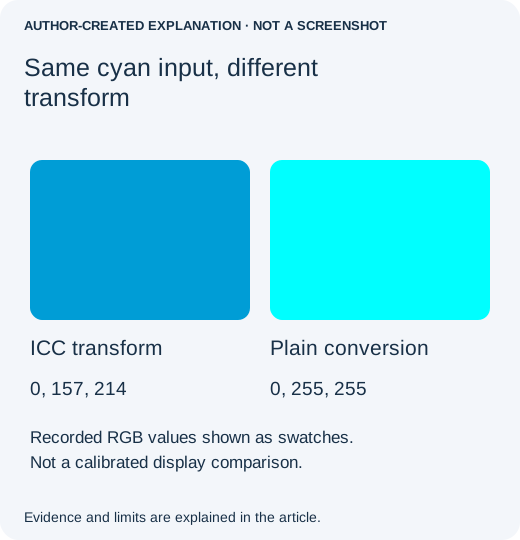
A July 2019 Adobe discussion described brighter colors after emailing a CMYK graphic, but a reply questioned the examples’ actual mode. A July 2022 report described changed CMYK JPEG colors and suggested keeping separate print and screen versions. They do not prove universal CMYK incompatibility.
Conversion and metadata removal are different
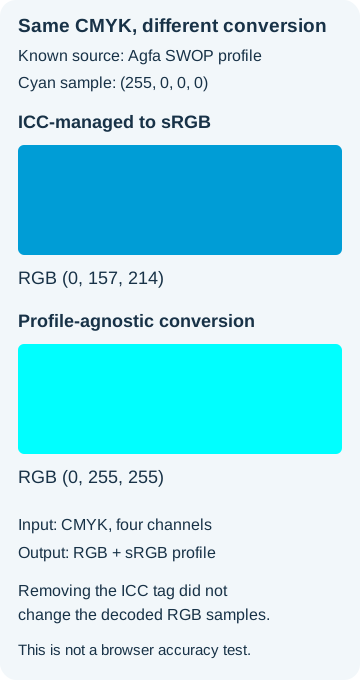
Our retained Pillow/LittleCMS test used synthetic CMYK patches and a known Agfa SWOP profile. Cyan (255,0,0,0) became RGB (0,157,214) through ICC conversion, versus (0,255,255) through plain RGB mode conversion. The K=128 patch became (151,152,152) versus (127,127,127). These values apply only to that fixture and profile. Removing the converted PNG’s profile without changing its pixels left its RGB samples unchanged.
What this comparison can and cannot tell you
Pillow ImageCms.profileToProfile performs a profile transform; a plain mode conversion is not equivalent. The retained example stops if the source profile is missing and writes a separate sRGB PNG. A present but malformed or mismatched profile can still fail. These swatches are not a calibrated display comparison or a browser test. Check the final export after sharing; monitor and service processing can still matter.
Sources, examples and related reading
- July 2019 Adobe Community discussion
- July 2022 report
- Adobe’s current online-color guidance
- Original evidence
- Pillow ImageCms API
- Why a photo turns sideways after upload
- Why JPEG quality changes after repeated saves
- Keep a profile photo from being cropped in the wrong place
- Why an animated GIF stops moving after you save it