Why an animated GIF stops moving after you save it
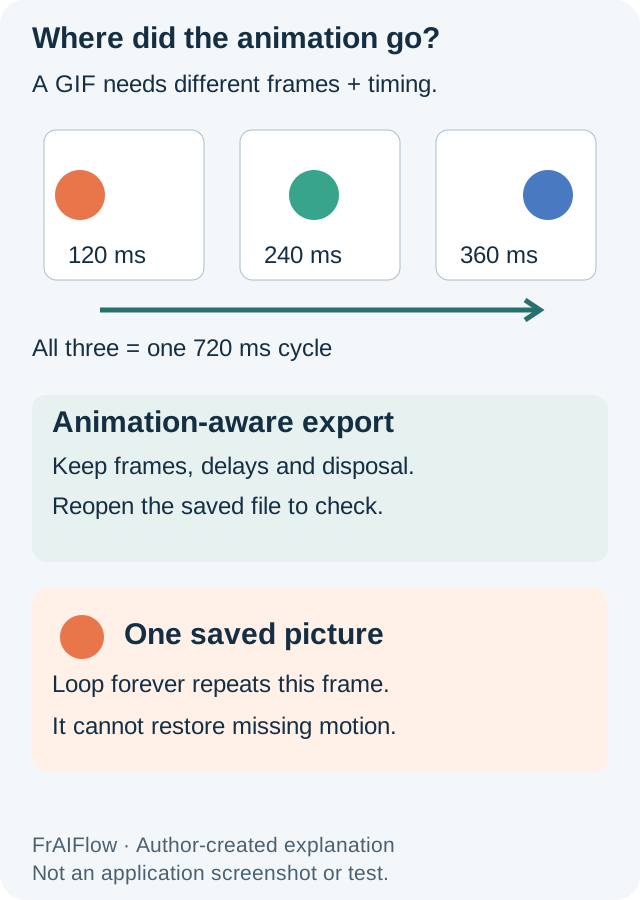
A file ending in .gif may contain only one frame. If an animation stops after editing, inspect the saved output before blaming the website. An application can export the current picture instead of the timed sequence, even when GIF is selected.
Try an animation-aware export, not another ordinary Save
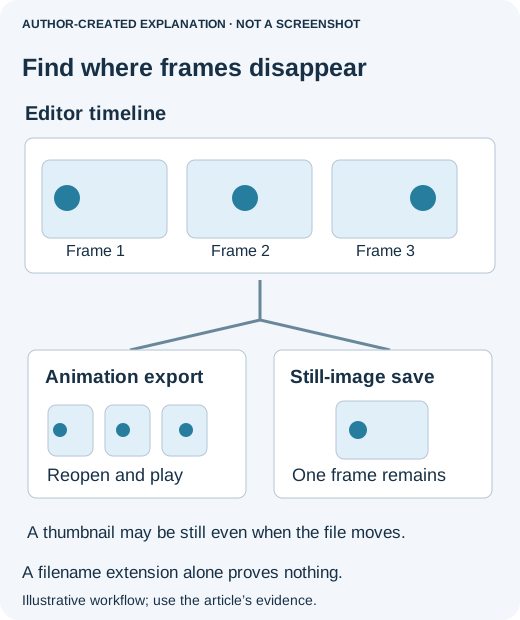
First reopen the original animation and the edited file side by side in a viewer that plays GIFs. If the original moves but the edited copy does not, you have narrowed the problem to editing or export. There is no reason to change the destination website yet.
If you already use GIMP, its GIF export dialog gives a concrete example of the controls that matter. You do not have to switch applications; look for equivalent animation options in your existing editor.
- Keep the editable project. Work on a copy, with the intended frames preserved. A flattened single picture cannot become the original animation merely by selecting GIF.
- Export to a new .gif filename. In GIMP's GIF export options, select As animation. The official guide notes that GIF animation export does not support layer groups, so do not assume a grouped composition becomes the intended sequence.
- Check timing and disposal. “Delay between frames when unspecified” supplies missing timing; it does not recover timing already lost. For complete replacement frames, “One frame per layer (replace)” clears the previous frame. Partial transparent frames may need different behavior. A wrong choice can leave trails or make parts disappear.
- Decide whether it should loop. Looping controls repetition, not how many frames are saved. A one-frame GIF stays visually still even if it repeats forever.
- Reopen the exported file. Watch at least one complete cycle. Look for missing frames, strange pauses, leftover pixels and unintended transparency before uploading it.
GIMP documents these GIF export options. These instructions are based on that documentation; the measured example below uses Pillow, not a recorded GIMP session.
If the local export works, send it through the actual attachment or upload control. Copying an image from a preview, taking a screenshot, or using a destination that only accepts still profile pictures can produce a different result. If possible, download the uploaded original and reopen it. A moving download with a still thumbnail means the preview is the problem; a one-frame download means the delivered file is different.
A file-manager thumbnail may deliberately stay still. Check playback in an animation-aware viewer before treating that thumbnail as proof that frames have disappeared.
A useful historical example
In an October 2018 Adobe Community case, editing an invitation’s background and saving to GIF lost animation. The author later reported success after applying the background to every frame, setting timings and using an animation-aware export. That is a specific historical workflow, not a promise about every current Save command.
Why the export option matters
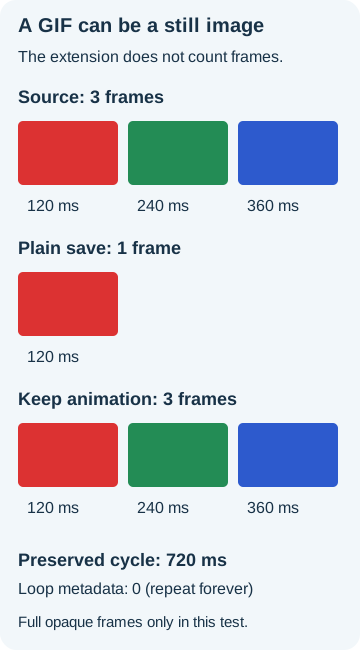
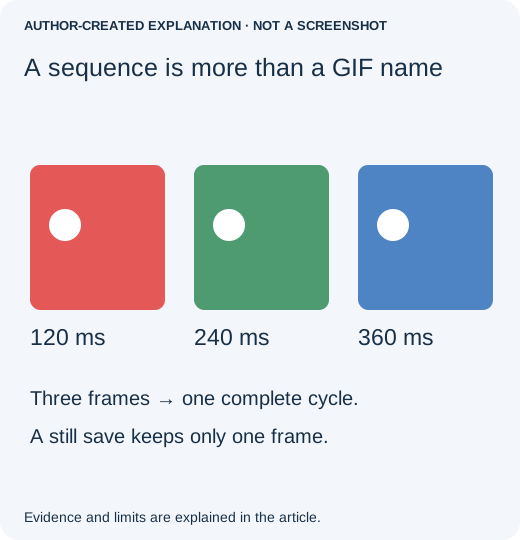
Our three opaque 96 × 64 frames had delays of 120, 240 and 360 milliseconds, a 720-millisecond cycle. Pillow’s ordinary still-image save left one frame. Explicit multi-frame saving kept all three frames, sampled colors, delays and loop=0. The one-frame output also kept a loop flag: repeating one unchanged picture still looks still.
Export the sequence, not just its first picture
For a simple opaque fixture, preserve each decoded frame and duration, then use save_all=True, append_images and the duration list. Keep loop metadata only when present. Pillow’s documented disposal, palette and transparency behavior matters for real artwork. The retained RGB recipe discards transparency and its 100 ms missing-delay fallback is a chosen value, not recovered timing; do not apply it unchanged to transparent or partial-frame animation.
If only a single frame survives in the file, recover the original GIF or editable project. Renaming the extension or increasing quality cannot reconstruct missing frames. The controlled example verifies files, not playback in a particular messaging app.