OneDrive rejects a filename: fix one item before renaming a batch
OneDrive stalls on a named file even though the connection works. If the error says the name is invalid, inspect that item before resetting sync or renaming a whole collection.
Resolve one rejected document before touching the rest
A sync warning is easy to make worse with a bulk rename. Two different documents can end up with the same cleaned name, and other files may depend on their paths. Start with one ordinary document whose ownership and purpose you understand.
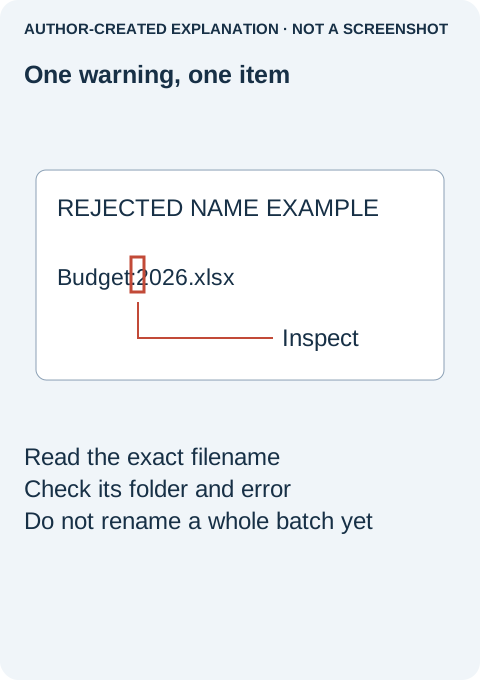
- Open the OneDrive warning and identify the exact item. Note the folder as well as the filename. Similar names in two accounts are not necessarily the same file. Read whether the warning concerns a name, storage, permissions or a long path.
- Close the document in its editor and retain a separate backup. Do not rename an Office temporary file or a system file just to force it into the cloud.
- Give the document a clear, unique name. Remove the particular rejected character or accidental edge space, while keeping its real extension. For example, a rejected
Budget:2026.xlsxcould becomeBudget-2026.xlsxif that name is available. Do not change.xlsxto disguise the type. - Check for a collision before accepting. If another
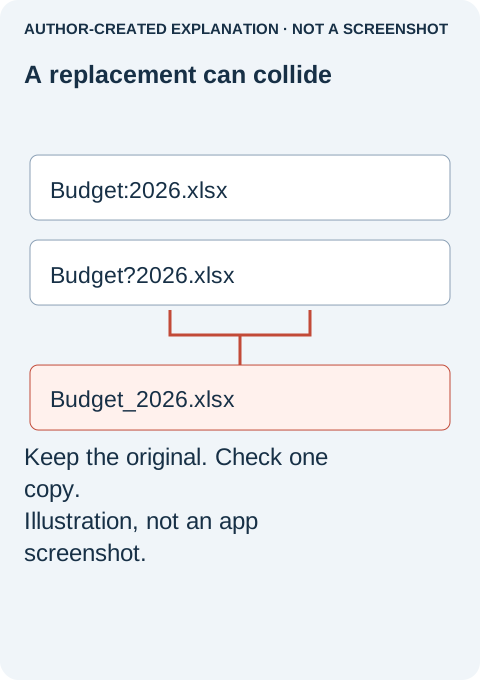
Budget-2026.xlsxalready exists, cancel any replacement prompt and choose a distinct descriptive name. A successful rename that overwrites the wrong file is not a successful repair. - Let that one item finish syncing. Confirm its warning clears. Open the cloud copy in the intended account and folder, and check that it is the right document. Only then consider applying the same understood rule to other affected items.
Microsoft's upload troubleshooting page distinguishes restricted names from existing-name conflicts. For shared documents, coordinate a rename and check links afterward. Work or school administrators may impose additional restrictions; do not change account or security settings to bypass them.
If the name warning disappears but a different error remains, stop renaming. A long full path includes parent folders, while a storage or access problem is unrelated to punctuation. Keeping the exact before-and-after message makes the next diagnosis much more precise.
Why an older report may not match your client
A January 2024 Microsoft community report described Mac naming errors without confirming a successful migration. The restrictions page contains a January 2025 Mac-support change note, but its current restrictions still need to be checked for the actual client and destination. That historical note is not a blanket guarantee that every character works everywhere.
Some names identify temporary or system files
An internal space in Budget 2026.xlsx differs from an accidental leading or trailing space. Restrictions also mention reserved names and patterns such as CON, desktop.ini, _vti_ and the ~$ prefix. Do not blindly rename these to force them into sync; first establish whether the item is an ordinary document that belongs in the cloud.
Check that different files will not get the same name
In the retained local string test, Budget:2026.xlsx and Budget?2026.xlsx both became Budget_2026.xlsx after punctuation was replaced with underscores. Two sources produced one target. Reviewed alternatives ending in _original and _revision stayed distinct, but those labels were illustrative, not evidence of which document was newer.
The Node.js fixture checked eleven names against a limited rule set: eight matched a listed rule and three did not. It renamed no files and contacted no OneDrive account. Passing those partial checks does not prove a file will sync. If one careful rename still fails, stop the batch and read the new error. For work or school restrictions, ask the administrator rather than changing access settings.